This blog's comments ran on Disqus for years. It is free and takes one script tag, but it is not light: on an article page, Disqus set about twenty cookies, most of them from the ad networks it loads, and injected an ad tracker into the page itself. When we asked readers for consent before any tracker, Disqus had to go behind the banner too, and a reader who refused would have seen no comments at all.
In this article, we will replace Disqus with Giscus, which keeps the comments in GitHub Discussions and sets no tracker: the setup, a React component that follows the site's theme, the Content Security Policy, a test, and what we did with the old comments.
How Giscus works
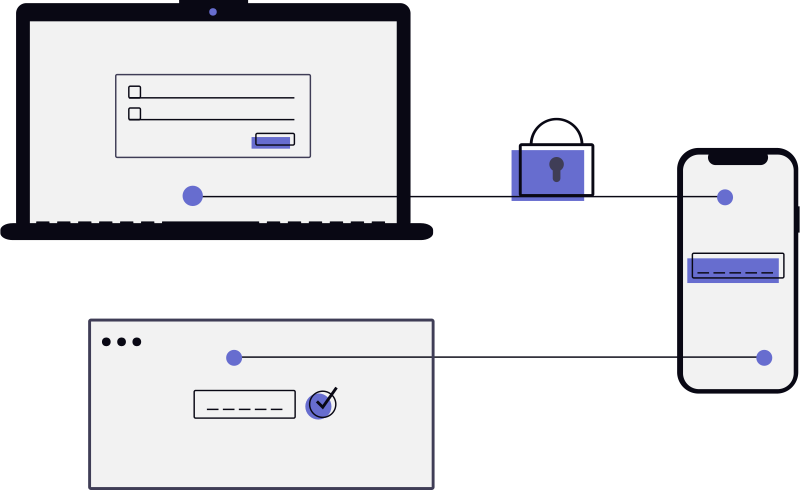
Giscus stores the comments of each page in a GitHub Discussion of a repository. The thread shows in an iframe served by giscus.app. Reading it stores nothing in the reader's browser. Writing needs a GitHub account: after signing in, the session is kept in the page's localStorage (giscus-session), which serves the action the reader asked for. No consent is needed, so the comments load as soon as they come into view, for every reader.
Setting it up
The setup takes a few minutes:
- The repository must be public, with Discussions enabled (Settings, Features).
- Install the giscus GitHub app on that repository.
- Create a category for the comments. The Announcements type is the one giscus recommends: only maintainers and giscus can then open a discussion.
- On giscus.app, enter the repository and the category, pick how pages map to discussions, and copy the identifiers from the generated snippet.
We picked the pathname mapping: the first comment on an article creates a discussion named after its path, so an article with no comment costs nothing in the repository.
A React component for the comments
The generated snippet is a <script> tag with data- attributes. Any site can paste it where the comments go. In a React component, the same element is created once the component has mounted. This blog is built with Astro, where the component is an island hydrated with client:visible: nothing is fetched until the reader reaches the end of the article. Elsewhere, an IntersectionObserver that mounts the component does the same, and loading: "lazy" already defers the iframe itself:
// src/components/article/ArticleComments.tsx
const themeOf = () => (document.documentElement.classList.contains("dark") ? "transparent_dark" : "light");

const Giscus = () => {
  const container = useRef<HTMLDivElement>(null);

  useEffect(() => {
    const element = container.current;
    if (!element || element.querySelector("script, iframe")) return;

    const script = document.createElement("script");
    script.src = "https://giscus.app/client.js";
    script.async = true;
    script.crossOrigin = "anonymous";
    Object.entries({
      repo: giscus.repo,
      repoId: giscus.repoId,
      category: giscus.category,
      categoryId: giscus.categoryId,
      mapping: "pathname",
      reactionsEnabled: "1",
      inputPosition: "bottom",
      theme: themeOf(),
      lang: "en",
      loading: "lazy",
    }).forEach(([key, value]) => (script.dataset[key] = value));
    element.appendChild(script);

    // The theme menu switches the page's scheme without a reload.
    const observer = new MutationObserver(() => {
      const frame = element.querySelector<HTMLIFrameElement>("iframe.giscus-frame");
      frame?.contentWindow?.postMessage({ giscus: { setConfig: { theme: themeOf() } } }, "https://giscus.app");
    });
    observer.observe(document.documentElement, { attributes: true, attributeFilter: ["class"] });
    return () => observer.disconnect();
  }, []);

  return <div ref={container} className="giscus" />;
};
Two details. The snippet offers preferred_color_scheme, which follows the system, but this site has its own theme menu: the component passes the site's theme instead, and posts a setConfig message to the iframe whenever the dark class of <html> changes. And transparent_dark lets the card behind the comments show through, so the dark thread matches the page.
giscus.repoId and giscus.categoryId are public identifiers, not secrets: they are in every page's HTML anyway.
The Content Security Policy
The policy lists the hosts allowed to run scripts (here in Astro's configuration, but the directives are the same in a header). The Disqus hosts went, https://giscus.app came in. The tests passed with that, but a check of the real page found a violation: client.js also adds a stylesheet, giscus.app/default.css, and style-src did not allow it.
// astro.config.mjs
scriptDirective: {
  resources: ["'self'", "https://www.googletagmanager.com", "https://cdnjs.buymeacoffee.com", "https://giscus.app"],
},
styleDirective: { resources: ["'self'", "'unsafe-inline'", "https://giscus.app"] },
The browser tests block every third party, on purpose. So they cannot see what a third party loads in turn. When one of them changes, load a real page once, with the console open.
A test
The tests still fail on any script error or CSP violation of the site's own code. What they can check about Giscus is that the comments are requested when they should be: once they come into view, with no consent given.
test("loads the comments from Giscus when they come into view", async ({ page }) => {
  await page.goto(article);
  const client = page.waitForRequest(/giscus\.app\/client\.js/);
  await page.getByRole("heading", { name: "Comments" }).scrollIntoViewIfNeeded();
  await client;
});
The old comments
Disqus can export its threads as XML, but nothing turns them into GitHub Discussions with their authors: an import would post every old comment under the name of whoever runs it. So we started from zero: the threads begin with the first comment on each article.
Conclusion
Giscus trades Disqus' convenience for a constraint, a GitHub account to write, and gets rid of the trackers in return. For a technical blog, whose readers mostly have one, that is a good trade: the comments show for every reader without a consent banner, they live in a repository you own, and they follow the site's theme. Load it only when the comments come into view, pass your own theme rather than the system's, and load a real page once to see what the Content Security Policy needs.
References
- Giscus — configuration and the generated snippet.
- Giscus advanced usage — the
setConfigmessage to the iframe. - GitHub Discussions — enabling Discussions and managing categories.
- Astro: client directives —
client:visible, as used on this blog. - IntersectionObserver — loading on visibility without a framework.
- style-src — the directive the Giscus stylesheet needed.
- Playwright: waitForRequest — waiting for a request in a test.